I Built LLMBridge: Switching AI Providers With One Line
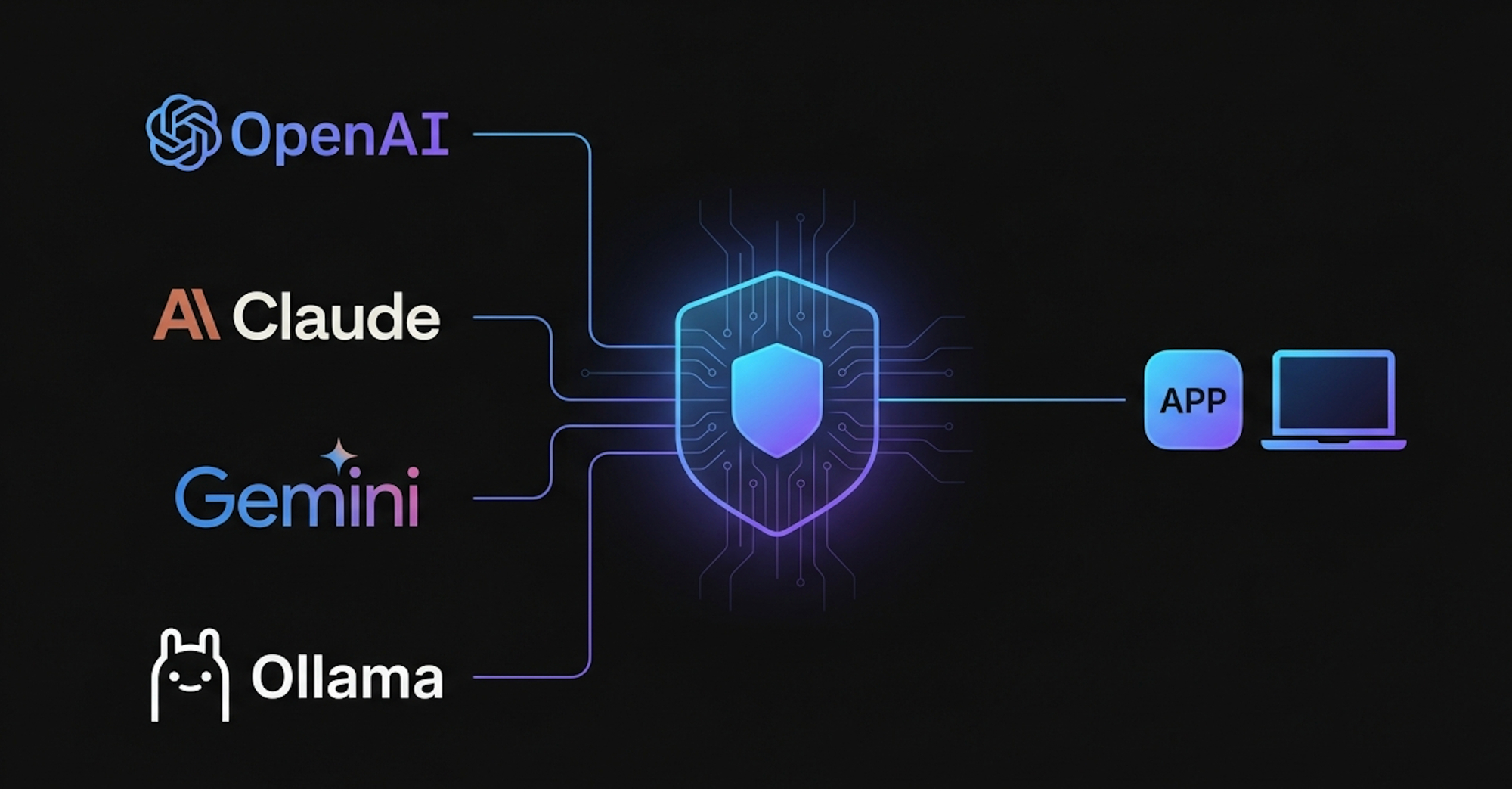
Switching from GPT-4o to Claude to Gemini to a local model takes exactly one config change.
Not one PR. Not a refactor. Just:
docker compose up --build
By default that boots with qwen2.5:3b running locally via Ollama, no API key, no account needed. That’s the hardcoded default in the app (ollama/qwen2.5:3b).
Want Claude instead? Create a .env in the project root:
ANTHROPIC_API_KEY=your_key_here
MODEL=anthropic/claude-haiku-3-5
Then docker compose up --build again. That’s the entire switch.
Same pattern for every provider:
# OpenAI
OPENAI_API_KEY=your_key_here
MODEL=openai/gpt-4o-mini

# Gemini
GEMINI_API_KEY=your_key_here
MODEL=gemini/gemini-2.5-flash

# Back to local — no key needed
MODEL=ollama/qwen2.5:3b
Two things for hosted providers: an API key and a model name in provider/model format. One line for local. No application code touched in any case.
Let me explain how I got here.
The Problem with Building Directly Against AI APIs Link to heading
Every major AI provider ships their own SDK, their own request format, their own authentication flow, their own error codes. OpenAI uses one shape. Anthropic uses another. Google’s Gemini uses yet another. Even the way you pass a system prompt differs.
If you build your application directly against OpenAI’s API today, and next month you want to try Claude 3.5 Sonnet because it performs better on your workload you’re not doing a one-line change. You’re touching your HTTP client, your message formatter, your retry logic, your response parser. If you have tests, those break too.
This is provider lock-in, and it’s subtle. It doesn’t feel like lock-in on day one. It feels like just calling an API. The lock-in shows up the moment you want to leave.
What Is an AI Gateway? Link to heading
An AI gateway sits between your application and the AI providers. Your application talks to the gateway using one consistent API format (usually OpenAI-compatible, since that’s become the de facto standard). The gateway translates that request to whatever format the downstream provider expects, forwards it, gets the response back, and translates that back to the standard format before returning it to you.
Your App → AI Gateway → OpenAI
                      → Anthropic Claude
                      → Google Gemini
                      → Ollama (local)
The key insight: your application code never changes. The gateway handles all the provider-specific translation. Switching providers becomes a configuration problem, not a code problem.
Beyond routing, a mature gateway also gives you:
- Unified observability — one place to see latency, token usage, and costs across all providers
- Fallback and retry logic — if one provider is down or rate-limits you, automatically fall back to another
- Load balancing — spread traffic across providers or model instances
- Caching — cache identical prompts to reduce cost and latency
- Rate limiting — protect yourself from runaway usage or badly-behaved clients
- Authentication — one API key for your app, the gateway manages individual provider keys
Without a gateway, you rebuild pieces of this for every provider, or you skip it and pay for it later.
Bifrost: The Open-Source Gateway I Built On Link to heading
Bifrost is an open-source AI gateway written in Go. It exposes an OpenAI-compatible HTTP API and handles routing to multiple backends — OpenAI, Anthropic, Google Vertex AI, AWS Bedrock, and Ollama for local models.
What made Bifrost the right choice for me:
It’s OpenAI-compatible out of the box. This means any client that already speaks OpenAI’s API format works with zero modification. Most AI SDKs and toolkits support this as a base URL override.
It handles the translation layer. When you send a request to Bifrost pointing at Claude, it rewrites the request into Anthropic’s format internally. You never see that. You just get the response back.
It supports Ollama. This was important. I wanted the project to run fully locally with no API key required, using an open-source model. Bifrost’s Ollama support meant I could include that as the default configuration.
It’s a single binary / Docker image. No external state store required for basic usage. Easy to compose with other services.
A typical Bifrost use case beyond my project: a company that has multiple internal teams all using different AI providers. Instead of having each team manage their own API keys and retry logic, they run a central Bifrost instance. All teams route through it. The ops team sees unified cost dashboards. If OpenAI has an outage, the gateway fails over to Bedrock automatically.
Building LLMBridge on Top of Bifrost Link to heading
I built LLMBridge as a platform that composes three services: LLMBridge itself (a UI and config layer), Bifrost (the gateway), and Ollama (for local model serving). Docker Compose wires them together.
The architecture looks like this:
┌─────────────────────────────────────────┐
│               docker-compose            │
│                                         │
│  ┌──────────┐   ┌─────────┐   ┌───────┐ │
│  │LLMBridge │──▶│ Bifrost │──▶│Ollama │ │
│  │  (UI +   │   │(Gateway)│   │(local │ │
│  │  config) │   │         │   │models)│ │
│  └──────────┘   └─────────┘   └───────┘ │
└─────────────────────────────────────────┘
The config package uses Viper to wire this up:
viper.BindEnv("default_model", "MODEL")
viper.SetDefault("default_model", "ollama/qwen2.5:3b")
No .env file means ollama/qwen2.5:3b runs automatically. To switch, you set exactly two variables — the provider API key and the model name:
# OpenAI
OPENAI_API_KEY=your_key_here
MODEL=openai/gpt-4o-mini
# Anthropic Claude
ANTHROPIC_API_KEY=your_key_here
MODEL=anthropic/claude-haiku-3-5
Then docker compose up --build. Viper picks up the env vars, Bifrost routes to the right provider. No application code changes.
There’s also a provider_config.yaml in the project, but that serves a different purpose, it defines what shows up in the UI selector: provider names, icons, badge labels, and colors. The active model at runtime is controlled purely by the MODEL env var.
Running locally with no API key is the default. Clone the repo, run docker compose up --build, and it boots with qwen2.5:3b via Ollama. No account, no billing, no rate limits.
Switching to a hosted provider means two lines in a .env file and a rebuild. That’s the entire migration.
Why the Gateway Layer Matters Long-Term Link to heading
The AI landscape right now is genuinely unstable in a useful way. The best model today probably won’t be the best model in six months. Pricing changes. New open-source models keep getting competitive a year ago, running a local model that could handle real tasks felt marginal. Now qwen2.5:3b is surprisingly capable for many workloads.
If your code is coupled to one provider, every one of these shifts is a potential refactor. If you have a gateway in front, they’re just config changes.
There’s also the cost angle. Different providers have different pricing for input tokens, output tokens, and context length. With a gateway in place, you can route different tasks to different models based on complexity and cost use a cheap fast model for simple classification, use a more capable model for generation, and switch between them without touching application code.
What’s Next Link to heading
The gateway and the switching mechanism were the fast part to build. What’s more interesting is what you can build on top of it tools that take advantage of having a provider-agnostic AI layer underneath them.
More on that soon.
Repository: github.com/monirz/llmbridge
If you find it useful, a star helps. And if you run into issues or have ideas for what to build on top of it, open an issue or reach out.